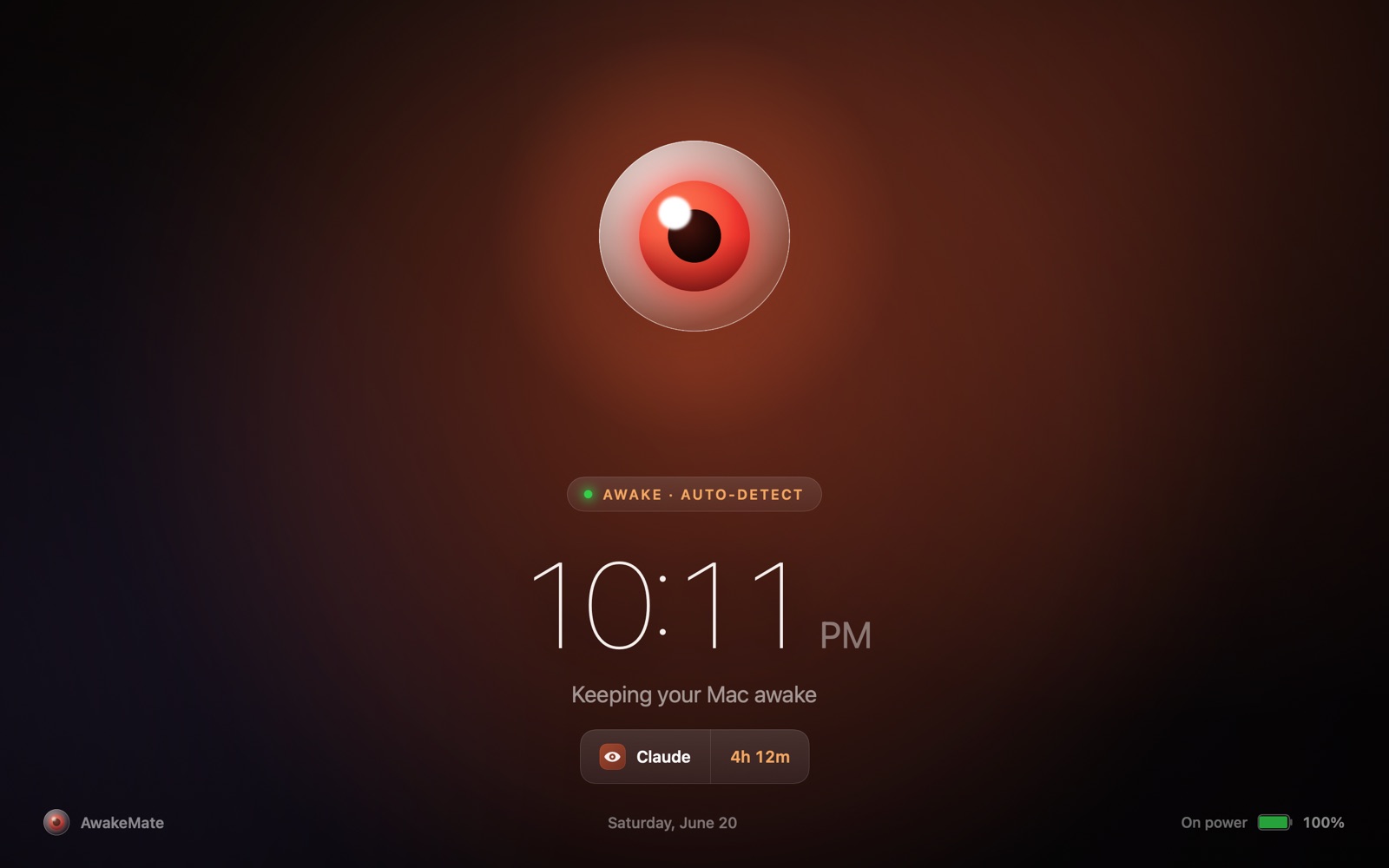
Lives in your menu bar & notch · macOS 13+

Never lose work to a sleeping Mac.

Builds, agent runs, overnight renders - AwakeMate keeps your Mac awake while they run, then vanishes the moment they're done. Zero babysitting, zero lost work.
Free 14-day trial · No account needed · Apple Silicon
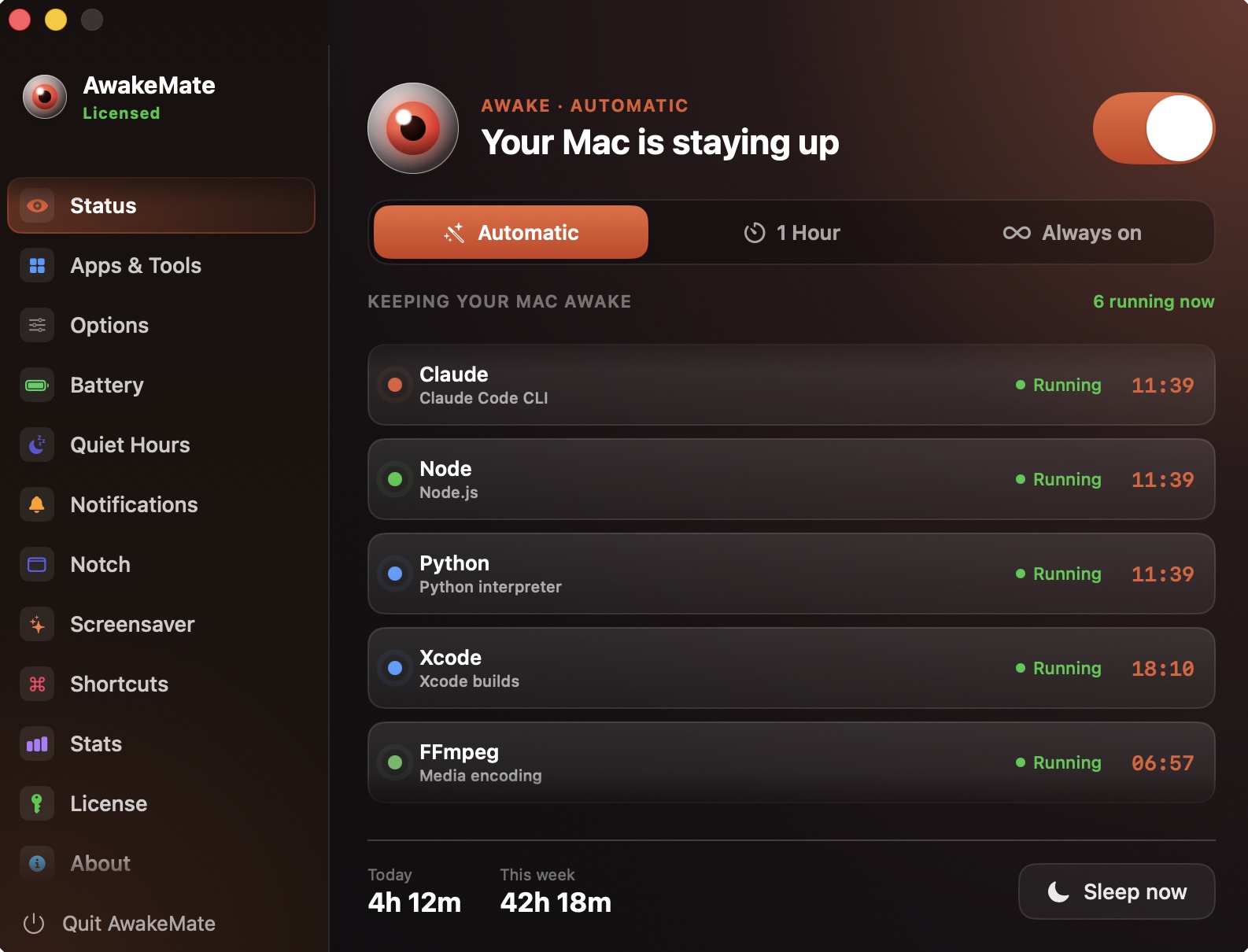
AwakeMate Status window
Build dies at 38%Agent run interruptedOvernight render lostCoffee app left onBattery flat by morningDownload stalls at 90%Xcode archive cancelledBackup never finishedModel training haltedExport died overnightUpload dropped at 70%CI pipeline timed outDocker build frozeRender queue stalledSSH session droppedCompile cut shortSync stopped halfwayBuild dies at 38%Agent run interruptedOvernight render lostCoffee app left onBattery flat by morningDownload stalls at 90%Xcode archive cancelledBackup never finishedModel training haltedExport died overnightUpload dropped at 70%CI pipeline timed outDocker build frozeRender queue stalledSSH session droppedCompile cut shortSync stopped halfway
A guided tour

Every panel earns its place.

Eleven screens, one job: keep your Mac awake for exactly the right reasons, and never a minute longer.
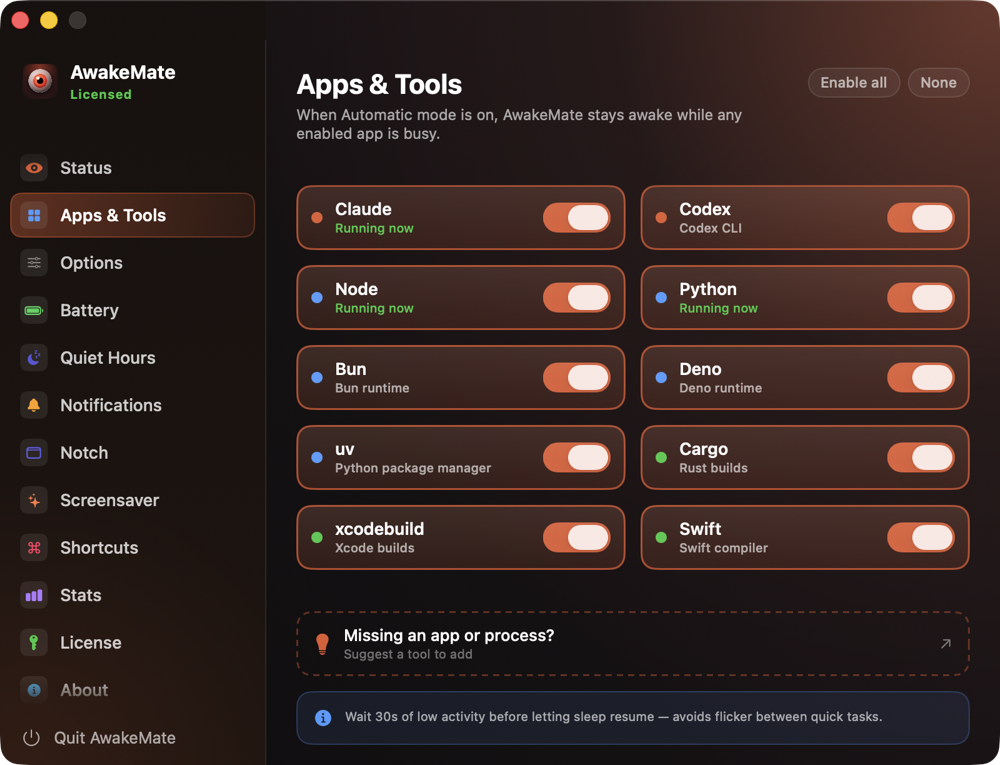
APPS & TOOLS
Choose what counts as work
Add the apps and processes that should hold your Mac awake. AwakeMate watches them and nothing else - no guessing, no false alarms.
XcodeTerminalDockerffmpeg+ add
APPS & TOOLS panel
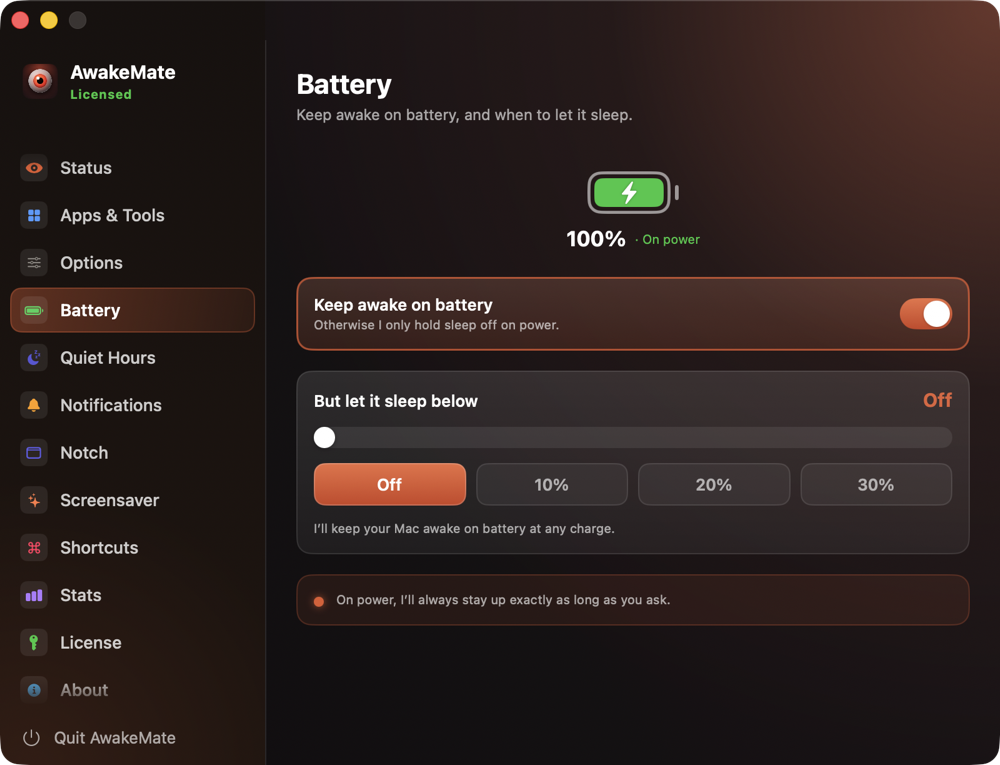
BATTERY
Aware of the trade-off
Decide whether to keep going on battery or only on power, and set a low-battery cutoff. AwakeMate respects the limits you set so mornings never start at 4%.
On batteryOn powerLow-battery cutoff
BATTERY panel
SCREENSAVER
Stands guard while you’re away
When you step back, a full-screen guard shows the time, what’s keeping the Mac up, and for how long - so nothing runs unseen.
Live clockWatched appIdle 5 min
SCREENSAVER panel
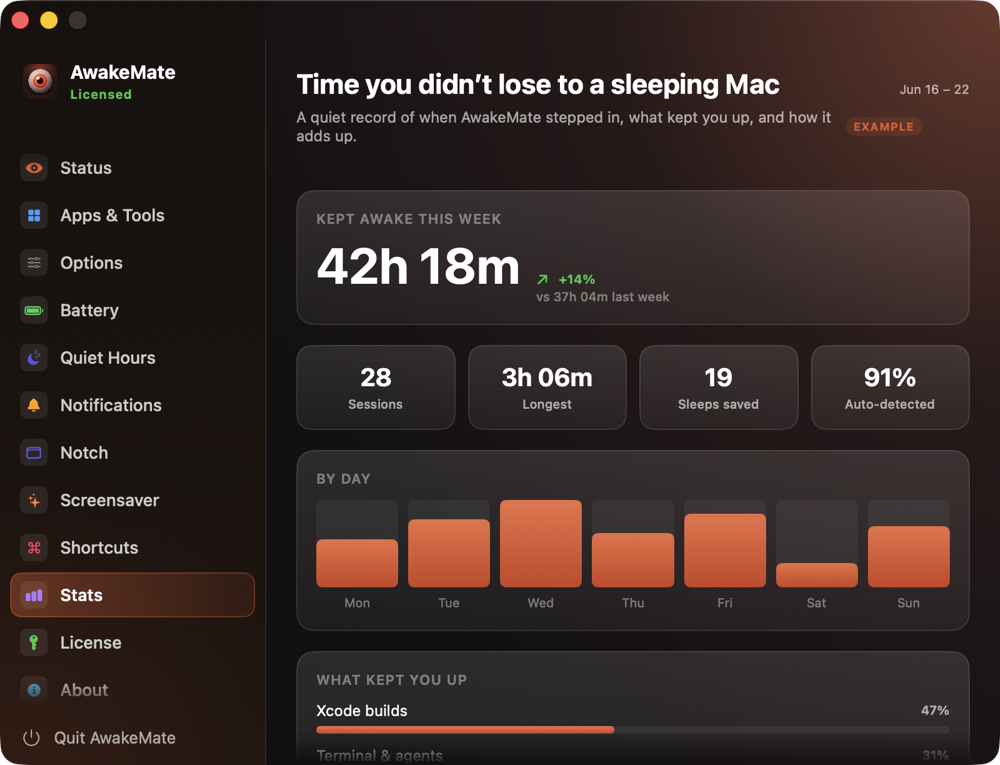
STATS
Proof it earns its place
A quiet weekly record of what kept you up and how it adds up - Xcode builds, agent runs, renders. Honest numbers, no vanity.
42h 18m19 sleeps stopped91% auto
STATS panel
NOTCH

Live status around the camera

A glanceable widget beside the notch shows what is keeping your Mac awake and for how long. Pick the style that fits - eye, timer, ring, or a quiet dot.
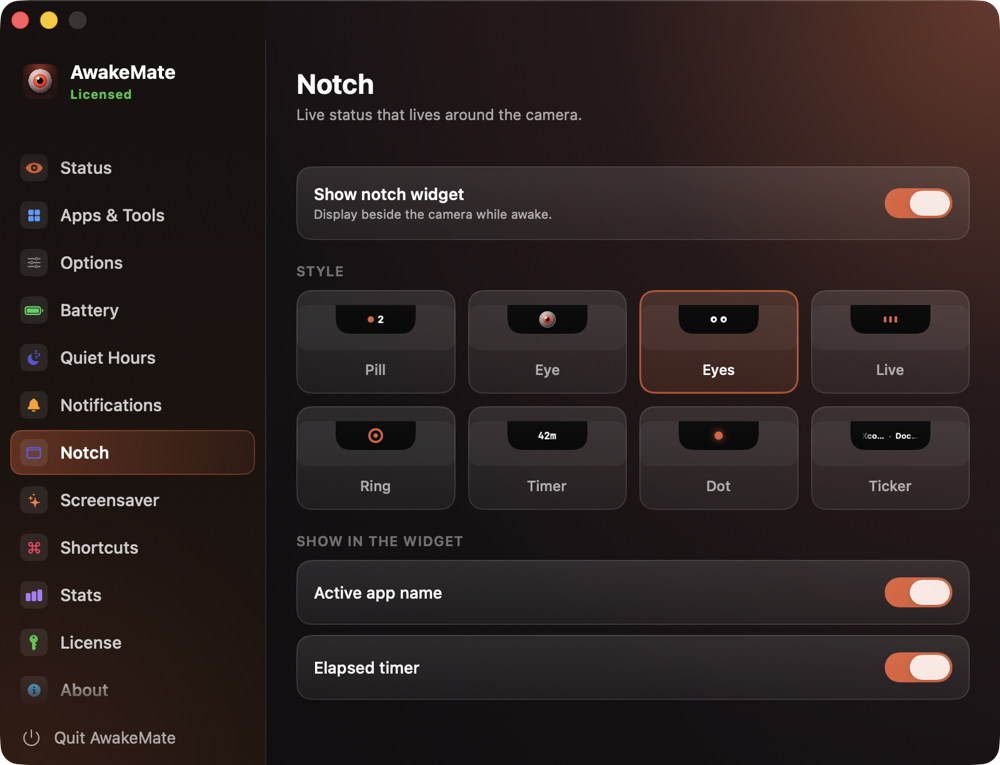
EyeTimerActive app
Notch settings

And more features

Quiet hours, global shortcuts, battery rules, notifications, and a weekly stats record - there is more inside than we could show here. Missing something you need?

Suggest a feature →
Modes

Three ways to stay awake.

Pick one from the menu bar - or let Auto-detect handle it. Select one to see how it works.

01 ● Selected
Xcode
Terminal
Docker
RECOMMENDED
Auto-detect
Watches the apps and processes you choose. Awake while they run - asleep the second they stop.
WATCHES
XcodeTerminalDocker+ custom
02 ● Selected
58MIN LEFT
ON A CLOCK
Timed
Stay awake for a set window, then fall back to normal - for a download, a deploy, or a meeting.
QUICK SET
15m1h4hUntil 9am
03 ● Selected
NO QUESTIONS
Always on
A hard override. Awake until you flip it off - plugged in or on battery, no watched app needed. For the long haul.
OVERRIDES
On batteryNo activity needed
Auto-detect
XcodeTerminalDockerClaudeffmpeg
running → AwakeMate holds the Mac awake  ·  they stop → it sleeps
Timed
58min left
Stay awake for a set window, then quietly fall back to normal - for a long export or an overnight job with a deadline.
Always on
Stays awake until you turn it off. No timers, no guessing - a hard override for when you just need it on.
Optional

Knows when work is really happening

Go beyond "is it running" - AwakeMate can hold the Mac awake only while a watched tool is actually using the CPU, then let it sleep the moment it goes quiet. Perfect for builds, encodes and renders, with an idle timeout you set.

On by default

Finds tools hiding inside Node or Python

Agent CLIs installed via npm or pip often look like plain "node" or "python" to macOS. Deep CLI detection reads the real script name, so Claude Code, Codex and friends are recognised by name - still 100% on-device.

THE PAYOFF

A week you did not lose

A sample week with AwakeMate on - work that finished instead of dying at a sleeping Mac.

Kept awake this week42h 18m
91%
Handled automatically, hands-off
19 Sleeps prevented mid-build
82% Battery left by morning, vs 4% asleep
Pricing

One license. Yours for good.

Buy once, use forever - one license per Mac. No subscription, no account.

Launch week · 60% off · limited time
Lifetime license
$39.99 $14.99 one-time
All three modes & auto-detect
Menu bar, notch & stats
Licensed for one Mac
Free updates, forever
Buy AwakeMate - 60% off
Launch week - 60% off, then $39.99 · One-time payment · free 14-day trial first

FAQ

Questions

Which Macs does AwakeMate support?
AwakeMate is built for Apple Silicon Macs (M1 and later) on macOS 13 or newer. Apple is winding down Intel support across macOS, so we’ve focused AwakeMate on Apple Silicon to keep it fast and dependable. On an Intel Mac and want it too? Let us know →
Is there a free trial?
Yes. 14 days, everything unlocked, no card required.
How can I extend my trial?
Invite a friend. Share your personal invite link or code from inside AwakeMate - when a friend redeems it, they get their own free trial and you get +3 days added to yours. Invite a few and the extra days stack up.
How do I redeem an invite code?
Open the License tab, scroll to the bottom, and click "Have an invite code?". Paste the code a friend shared and hit Redeem - your free trial starts right away.
Will it keep my Mac awake for Claude Code, Codex or AI agents in the terminal?
Yes. Auto-detect watches the CLIs you run in the terminal. Many agents are installed via npm or pip and show up to macOS as just “node” or “python” - Deep CLI detection (on by default) reads the real script name, so Claude Code, Codex and similar are recognised by name. One tip: agents mostly wait on the network rather than the CPU, so leave “Sleep when tools go idle” off for them - that keeps your Mac awake for the whole session, not just the busy moments. See keep your Mac awake for Claude Code, or browse every tool we detect.
If I close the lid, will my Mac keep working - even on battery?
Yes, with the optional lid-closed mode. Turn on “Keep awake with the lid closed” in Settings - Options and approve the one-time helper; AwakeMate then keeps the Mac awake with the lid shut while a watched tool runs, and dims the screen so it is not draining the battery under the lid. It works on most Apple Silicon Macs (Apple forces sleep on some, so close your lid once to confirm), on battery or power - keep it on power for long runs. See it in action →
What’s the difference between keep-awake and “Sleep when tools go idle”?
By default Auto-detect keeps your Mac awake the whole time a watched tool is running. Turn on “Sleep when tools go idle” and it goes a step further - it stays awake only while the tool is actively using the CPU and lets the Mac sleep once it goes quiet. Ideal for builds, encodes and renders; for chat agents or dev servers (which mostly wait on the network) leave it off so they are never cut short.
How is this different from just turning off sleep in System Settings?
System Settings is all or nothing - switch sleep off there and your Mac stays awake (and burns power) around the clock until you remember to turn it back on. AwakeMate keeps it awake only when you actually need it - while your chosen tools run, on a timer, or on demand - then lets it sleep normally again. It uses the same gentle power assertion as macOS’s own caffeinate, so your saved energy settings never change.
Does it work offline?
Yes. After a one-time activation it runs fully offline; it only re-checks your license once in a while.
Will it drain my battery?
Only while it’s actively holding sleep off, and you set a battery floor (or switch it off) so it eases up when you’re running low.
Can I use my license on another Mac?
Yes. Deactivate in the License tab, then activate on the other Mac. One license covers one Mac at a time.
Do you collect any data?
No telemetry. AwakeMate only contacts the store to validate your license.
Something not working, or found a bug?
First, the free 14-day trial is there so you can put AwakeMate through its paces risk-free. If anything misbehaves, you need a hand, or you want to report a bug, reach us any time at our contact page → and we will help you out.
AwakeMate

Keep your Mac awake.
Exactly when it should be.